Setting a wreath sponsorship goal allows your public page to display fundraising progress. If a goal has not been set, the wreath graphic on your public page may appear grayed out, even if wreath sponsorships have already been received.

To Set a Wreath Sponsorship Goal
- Log in to your Wreaths Across America account.
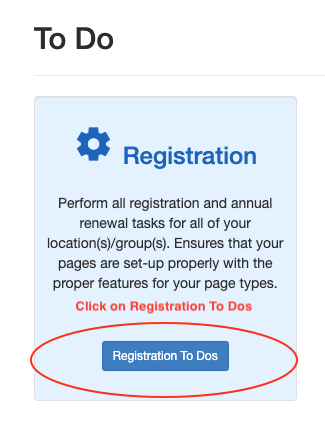
- Go to Registration To Do's.
- Select the Group or Location you want to edit.
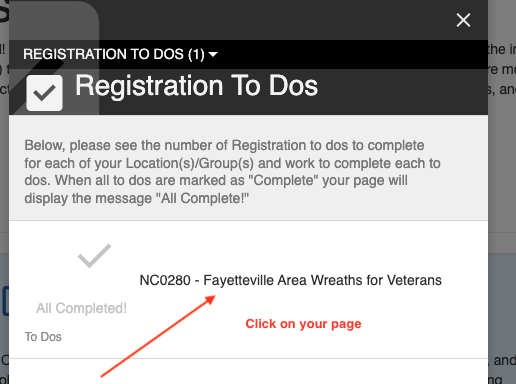
For Fundraising Groups
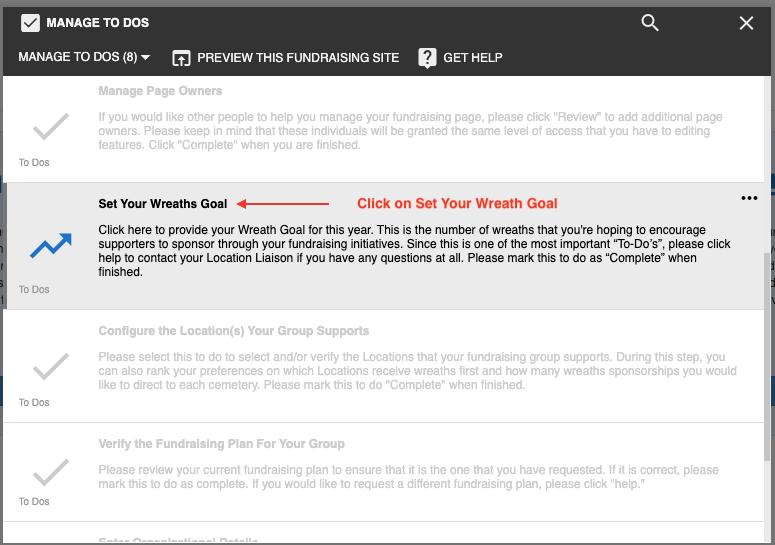
- Select Set Your Wreath Goal.
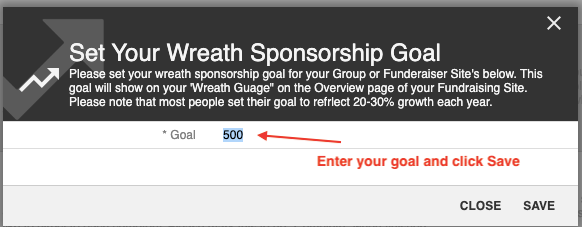
- Enter the number of wreaths you hope to raise through sponsorships.
- Save your changes.
For Location
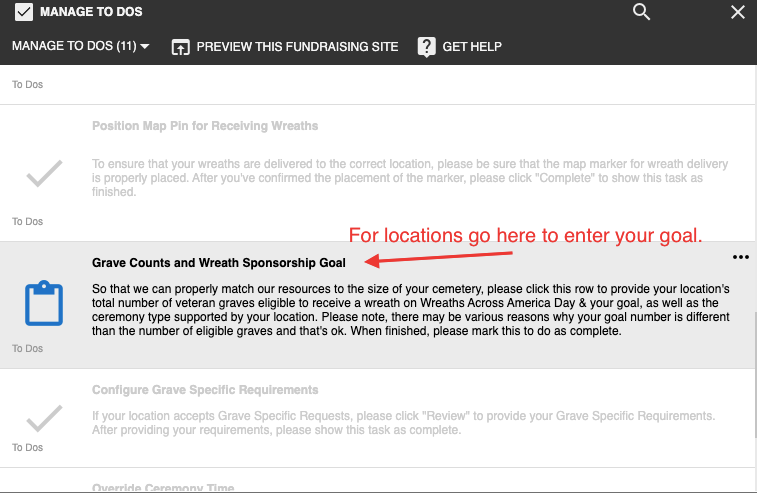
- Select Grave Counts and Wreath Sponsorship Goal.
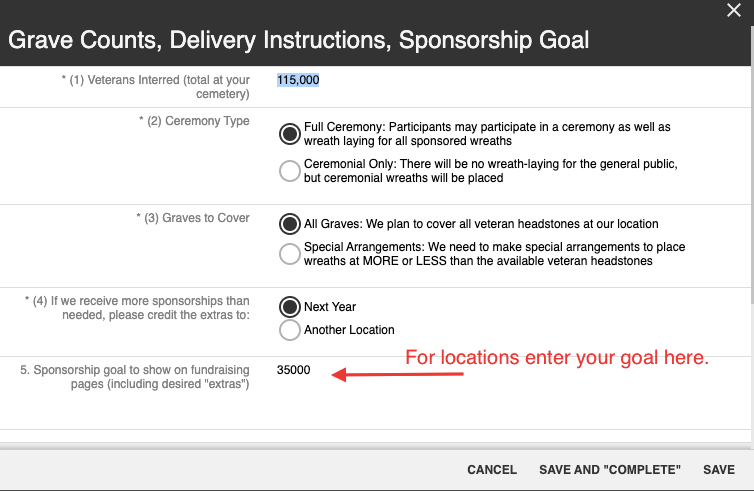
- Enter your desired goal in the Sponsorship Goal field.
- Save your changes.
Was this article helpful?
That’s Great!
Thank you for your feedback
Sorry! We couldn't be helpful
Thank you for your feedback
Feedback sent
We appreciate your effort and will try to fix the article